


116 | How to manage Screenshots on iPhone and Android
Description
Do you ever scroll through your photos and wonder why half of them are screenshots? From recipes and outfit ideas to reminders and funny memes — they pile up fast!
In this episode, we share practical ways to manage screenshots and “reference photos” on both iPhone and Android, so your camera roll stays clear for the memories that truly matter.
We dive into Golden Rule #4: Sort and Organise, focusing on one of the biggest culprits of digital clutter — screenshots and random note-to-self images. Whether it’s a book you want to read, a recipe to try, or a receipt to keep, we’ll show you how to decide what to keep, what to move elsewhere, and what to delete.
What You’ll Hear in This Episode
Why screenshots and reference photos don’t belong in your main photo library
How to find, review, and tidy your screenshots on iPhone and Android
Simple steps to delete or relocate images you want to keep
Where to store screenshots
Tips for hiding or securing albums you don’t need in daily view
How to copy text from screenshots instead of saving the image
Quick actions to stop screenshots from cluttering your library in the first place
Why It Matters
Not every photo deserves a permanent spot in your library. By managing screenshots and reference photos with a few simple habits, you’ll keep your collection easier to browse, lighter to manage, and more meaningful to revisit. It’s all about curating the memories that matter most.
Resources Mentioned
Chantal’s Get-It-Done Work Sessions – online co-working sessions to help you stay on top of your photo tasks
Apple Photos Course for iPhone and Mac Users – a 3-session online program for simplifying your photo management
Related Episodes
Episode 005 Golden Rule 4 – Sort and Organise (Part 1 – Digital Photos)
Episode 039 Photos that DON’T belong in a Photo Collection
Episode 063 The Magic of Maintenance
Episode 087 Transferring Android phone photos to a computer
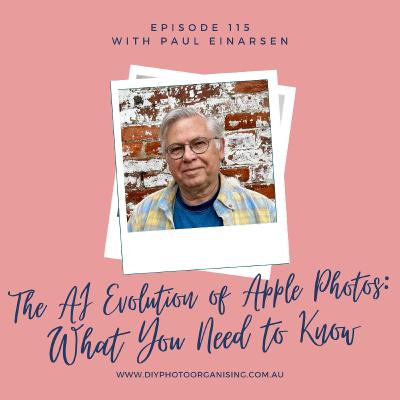
Episode 115 The AI Evolution of Apple Photos: What You Need to Know
If you have any photo-related questions we haven't answered yet in one of the previous episodes, please don't hesitate to share them with us via the Wishlist for Future Episodes!
We invite you to have a look through our DIY Photo Organising Courses so you can decide which of these courses might be what you need to help you move forward with your photo organising projects.
If you’d like to learn more about us, go to:
Fiona McLauchlan’s website: www.counsellingmemories.com.au or
Chantal Imbach’s website: www.photosinorder.com.au
If you are not in Melbourne and would like to explore having a Photo Manager help you, check out www.thephotomanagers.com to find help closer to home.
*affiliate link










 United States
